
how reset the trouble code on a nissan forklift
Resetting the trouble code on your Nissan forklift is a straightforward process that can save you time and money, but doing it incorrectly can mask underlying issues. This guide walks you through both basic and advanced reset methods, explains common error codes, and highlights when a professional intervention is necessary for your equipment’s safety.
Understanding Nissan Forklift Trouble Codes
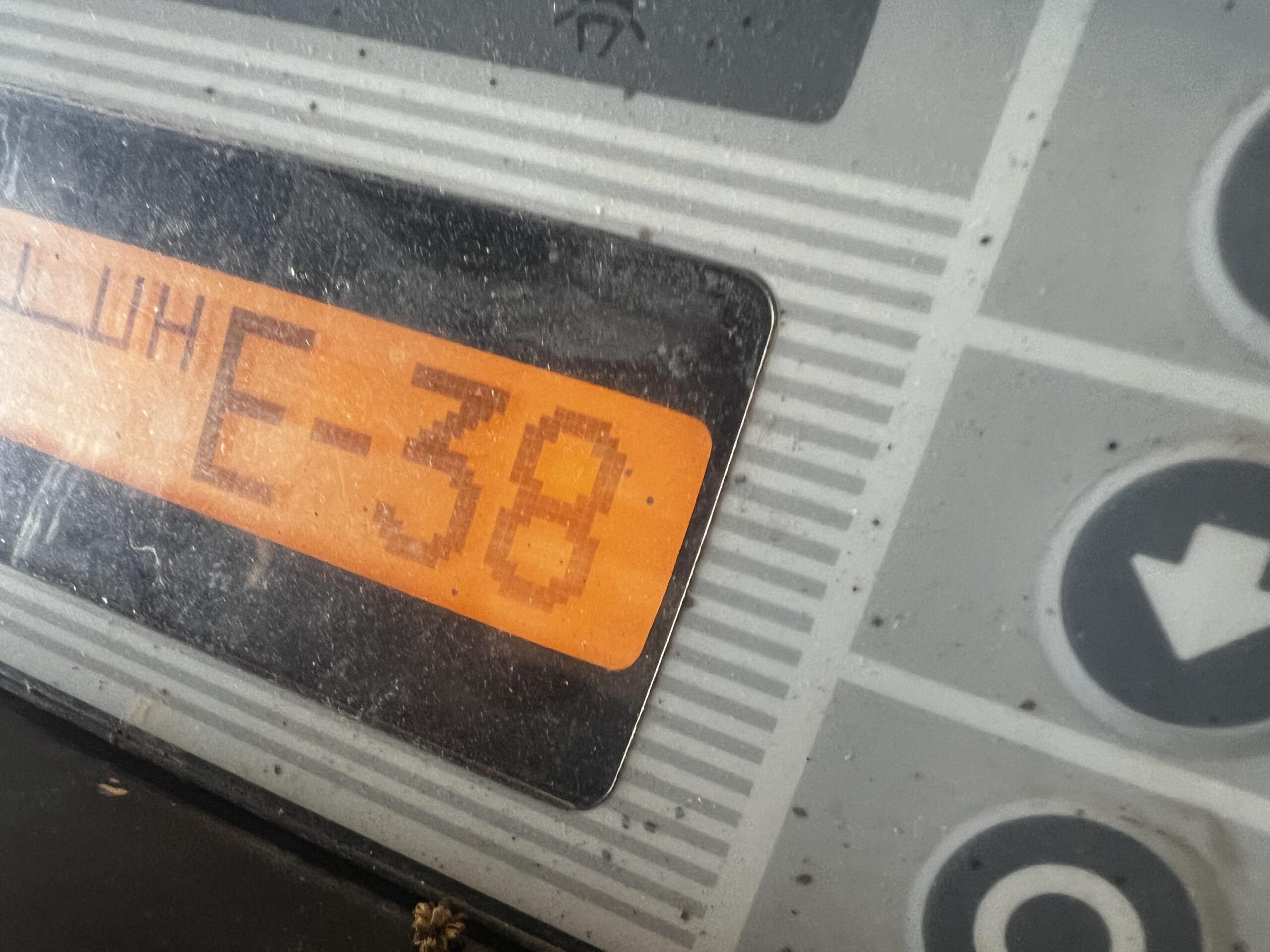
Nissan forklifts use a self-diagnostic system that stores trouble codes in the engine control unit (ECU). These codes appear as blinking light patterns or numeric displays on the dashboard, depending on your model year. The system logs issues like sensor failures, fuel system problems, hydraulic pressure faults, or electrical malfunctions. Resetting the code clears the stored error, but it does not fix the root cause. Always diagnose the actual problem before clearing any codes.
Why Resetting Trouble Codes Matters
- Performance Restoration: After a temporary glitch (like a loose wire or voltage spike), resetting restores normal operation.
- Prevent False Alarms: Intermittent issues can trigger codes that don’t reflect current conditions.
- Maintenance Scheduling: Clearing codes after genuine repairs ensures your system monitors future issues accurately.
Basic Reset Procedure (No Special Tools Required)
For most Nissan forklift models (including the popular 1F1, 1F2, and 1F3 series), you can reset trouble codes using only the ignition key and a few simple steps. Perform this only when the forklift is parked on level ground, the parking brake is engaged, and the mast is fully lowered.
Step-by-Step Key Sequence Method
- Turn the ignition key to the OFF position and wait 10 seconds.
- Turn the key to the ON position (do not start the engine).
- Quickly press the accelerator pedal five times within three seconds. Some models require pressing the brake pedal instead – check your operator’s manual.
- Observe the dashboard display. The trouble code should begin flashing rapidly, then disappear.
- Turn the key OFF, wait 30 seconds, then start the engine normally.
If the code persists after this reset, the underlying fault remains active – do not ignore it. Repeating the reset multiple times without fixing the issue can damage the ECU.
Advanced Reset Using Diagnostic Mode
Newer Nissan forklifts (especially those with LCD displays) have a hidden diagnostic menu that allows you to view live data and reset specific codes. This method is safer for complex errors.
Entering Diagnostic Mode
- Turn ignition to OFF.
- Press and hold the mode button (often labeled “SET” or “MODE”) while turning the key to ON.
- Hold for five seconds until the display shows “DIAG” or “SELF-TEST”.
- Use the arrow buttons to scroll to “TROUBLE CODE” or “FAULT HISTORY”.
- Select “CLEAR” or “RESET” from the submenu.
- Confirm by pressing the mode button. The display will show “CLEARED”.
- Turn OFF and restart the forklift.
Common Trouble Codes and Their Meanings
| Code | Description | Reset Possible? |
|---|---|---|
| 11 | Engine speed sensor failure | Yes – after sensor check |
| 13 | Inlet air temperature sensor | Yes – after repositioning |
| 21 | Hydraulic oil pressure low | No – mechanical issue |
| 23 | Accelerator pedal position sensor | Yes – if intermittent |
| 31 | Transmission control valve fault | No – needs repair |
| 45 | Electrical system overvoltage | Yes – after charging battery |
Always cross-reference these codes with your model-specific service manual. Some codes are “hard” codes that will not clear until the actual component is replaced or repaired.
When NOT to Reset: Critical Safety Warnings
Resetting trouble codes is not a universal solution. If your Nissan forklift displays any of the following, do NOT reset until a certified technician inspects the equipment:
- Engine will not start or dies repeatedly
- Brake system warning light remains on
- Mast or carriage moves erratically
- Hydraulic fluid leak visible
- Smoke or burning smell from the engine bay
In these cases, driving the forklift even after resetting could lead to catastrophic failure, property damage, or personal injury.
The Right Time to Call a Professional
If you have reset the code multiple times and it returns immediately, or if the forklift behaves differently after a reset, a deeper electrical or mechanical fault exists. At this stage, a professional dealer service is recommended. One trusted resource is Liftron Material Handling, which offers expert diagnostics, genuine parts, and certified technicians for Nissan and other major forklift brands. Their team can also help you understand if your usage pattern calls for an upgrade to modern lithium-ion models.
Preventative Maintenance to Avoid Future Codes
Many trouble codes stem from neglected service intervals. Implement a routine that includes:
- Cleaning or replacing air and fuel filters every 500 hours
- Checking battery terminals and cables for corrosion
- Inspecting all sensor connectors for moisture or damage
- Using only manufacturer-recommended hydraulic fluids and engine oil
Beyond that, consider upgrading to newer technology. The Liftron DL SERIES lithium-ion forklifts eliminate many common trouble code sources (like alternator and battery maintenance issues) and provide cleaner operation with lower downtime. While they are not Nissan models, their advanced onboard diagnostics are more intuitive and often require fewer manual resets.
Final Step: Verifying a Successful Reset
After any reset procedure, you must verify the check engine light or code display returns to normal idle status. Start the engine and let it idle for two minutes, then gently operate the lift and tilt functions. If no warning lights reappear, the reset was successful. If any light flickers or a code reappears, re-diagnose immediately.
Resetting trouble codes on a Nissan forklift is a basic skill every operator should master, but it is equally important to respect what those codes represent. Use this guide as your first line of defense, but always combine it with common sense and manufacturer documentation. For persistent issues or official diagnostics, do not hesitate to contact a professional service provider like Liftron Material Handling – they have the tools and expertise to keep your fleet running reliably.



Add a review
Your email address will not be published. Required fields are marked *