
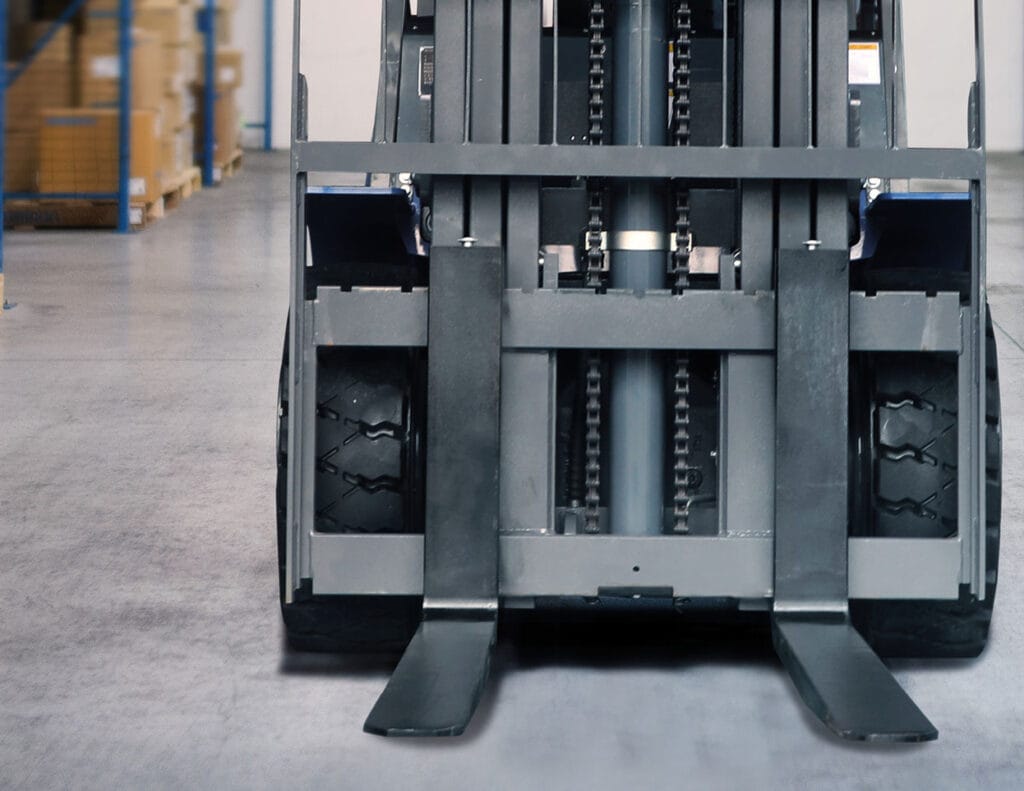
how to find liftron forklift lbs
Finding the exact pound capacity of your Liftron forklift is crucial for safe operation and preventing equipment damage. Whether you’re inspecting a new model or a used unit, this guide walks you through the most reliable methods to identify the rated load in pounds, from checking the data plate to decoding model numbers and using reference materials.
Why Knowing the Exact LBS Rating Matters
Every forklift has a maximum load capacity, measured in pounds (lbs), that is determined by its design, mast configuration, and counterweight. Exceeding this limit can cause tip-overs, brake failure, or structural damage. For Liftron Material Handling, which offers a wide range of electric and internal combustion forklifts, the rated capacity is stamped on the nameplate. However, many operators struggle to find or interpret this number, especially if the plate is worn or missing. Below, we break down every possible way to locate the lbs rating, including for the popular Liftron DL SERIES models.
Method 1: Check the Data Plate (Nameplate)
The most authoritative source is the manufacturer’s data plate, usually attached to the overhead guard, the side of the dash, or the engine cover. On Liftron units, the plate is a metal sticker with a black border. It lists:
- Model designation (e.g., FB20, FL30, or DL20)
- Rated capacity at load center (e.g., 4,000 lbs @ 24 inches)
- Truck weight (empty weight)
- Serial number
If the load center is specified in inches (124, 500, or 600 mm), you may need to convert if you see “kg.” On Liftron, the standard conversion is 1 kg = 2.20462 lbs. For instance, a “2000 kg” rating equals 4,409 lbs. However, don’t assume – always double-check the load center distance, because a longer center (e.g., 24 inches instead of 20 inches) will reduce capacity.
Where Exactly Is the Plate Located?
- Electric models (including DL SERIES): Under the seat or on the top cover of the battery compartment.
- Internal combustion models: On the right side of the engine cowl or on the back of the overhead guard.
- Reach trucks or pallet jacks: On the back of the mast or the top of the power pack.
Use a flashlight and wipe the area clean – grime often hides the embossed numbers. If the plate is painted over, carefully scrape the paint using a plastic scraper (do not use a metal tool that can scratch the plate).
Method 2: Decode the Model Number
Liftron follows a logic similar to Toyota or Linde. The model number often encodes the capacity in metric tons or hundreds of kilograms. For example:
- FB16: “16” typically means 1,600 kg, which equals 3,527 lbs.
- FB20: “20” = 2,000 kg = 4,409 lbs.
- DL25: “25” = 2,500 kg = 5,511 lbs.
However, this is not a universal rule for all lift trucks. For the Liftron DL SERIES, the number after “DL” is in decimeters? No – actually, “DL20” refers to 2,000 kg nominal. But confirm by cross-referencing with the serial number on the lift truck’s own documentation. If you do not have the manual, check the frame near the steering axle – sometimes a secondary sticker lists the load limit.
| Model Example | Metric Capacity (kg) | LBS (approx.) |
|---|---|---|
| FB14 | 1,400 kg | 3,086 lbs |
| FB18 | 1,800 kg | 3,968 lbs |
| DL20 | 2,000 kg | 4,409 lbs |
| DL25 | 2,500 kg | 5,511 lbs |
| FG30 | 3,000 kg | 6,614 lbs |
Method 3: Use the Serial Number to Request a Build Sheet
If the data plate is missing or unreadable, the serial number is your golden key. The serial number is typically located on the right frame rail near the counterweight or stamped into the mast. Write it down, then contact Liftron Material Handling directly via their website or an authorized dealer. Provide the serial number, and their support team can retrieve the original specification sheet, which includes the exact lbs capacity. This is especially useful for older units where the plate has been replaced for a different mast attachment.
What If You Have a Modified Forklift?
If the forklift has a side shifter, fork positioner, or a different mast (e.g., triple stage instead of standard), the original rated capacity is automatically reduced. Look for a secondary plate from the attachment manufacturer. For example, a 4,409 lbs truck with a side shifter might be derated to 3,800 lbs. Never rely on the base model number alone if attachments are present.
Method 4: Check the Owner’s Manual
The operator’s manual for your Liftron model always has a table of “Load Capacity by Mast Height and Load Center.” The manual is often stored in the tool compartment on the left side of the chassis. If you don’t have one, you can download a PDF from the Liftron website. Search for “Liftron DL SERIES manual” and look for the chapter titled “Specifications” or “Load Chart.” The chart will list lb values for different fork heights (e.g., 3,500 lbs at 120 inches, 2,800 lbs at 180 inches). Remember: capacity decreases as fork height increases.
Method 5: Measure the Counterweight or Use the Weight Sticker
Sometimes the total truck weight (empty) is printed on the side of the counterweight in pounds. If you see “9,920 lbs,” that’s the truck weight – not load capacity. But you can estimate the rated load by finding the equivalent model on the used equipment market. Search public listings for “Liftron FB20” or “Liftron DL20” and look at their stated capacity. Cross-reference multiple listings – if they all say 4,400 lbs, that’s your answer. However, this is a low-confidence method and should only be used for quick verification.
Method 6: Use a Load Weight Scale (Practical Test)
If you still cannot find the rating, you can perform a controlled test. Place a known weight – e.g., four 1,000 lb concrete blocks – on forks at a standardized load center (24 inches from the backrest). If the machine lifts it without rear wheels lifting off the ground more than 2 inches, that’s a conservative indication. But this is dangerous and not recommended. Better: contact a certified engineer or the manufacturer.
Common Mistakes When Reading Liftron Ratings
- Confusing kilograms with pounds – always convert.
- Ignoring load center – capacity is only valid at a given center distance (usually 24 inches or 600 mm). A 5,000 lb rated truck at 24″ is only about 4,000 lbs at 30″.
- Assuming all “DL” models are lithium-ion – the DL SERIES is indeed lithium-ion, but the number still refers to metric tons.
When You Need Professional Help
If you own a specialized Liftron (e.g., a 4-way reach truck or a swing mast), the data plate may be in metric only. Use online conversion tools. Alternatively, locate the European or Asian spec sticker which often lists “nominal capacity at C300” (where 300 = 300 mm load center). For the U.S. market, Liftron Material Handling ensures all new units are rated in pounds on a separate English sticker. If your unit lacks that, reach out to their support team via the contact form at https://liftronmh.com/ and include a photo of the serial number – they respond within 24 hours with the exact lb rating.
Final Checklist for Safe Operation
- Always memorize the rated lbs from the data plate – do not rely on memory.
- Recalculate capacity if forks are longer or wider than standard.
- Check the data plate after any major service – sometimes mechanics replace it with a generic one.
- For the Liftron DL SERIES, note that the capacity is shown on the digital dashboard at startup – press the “i” button to see the load chart.
Knowing your forklift’s lb rating is not just paperwork – it’s a life-safety metric. Use the data plate as your primary source, and only fall back on model decoding or manufacturer lookup if needed. When in doubt, never lift a load that feels heavy. Contact Liftron’s service department for a definitive answer, and always keep the load chart handy in the cab.



Add a review
Your email address will not be published. Required fields are marked *