
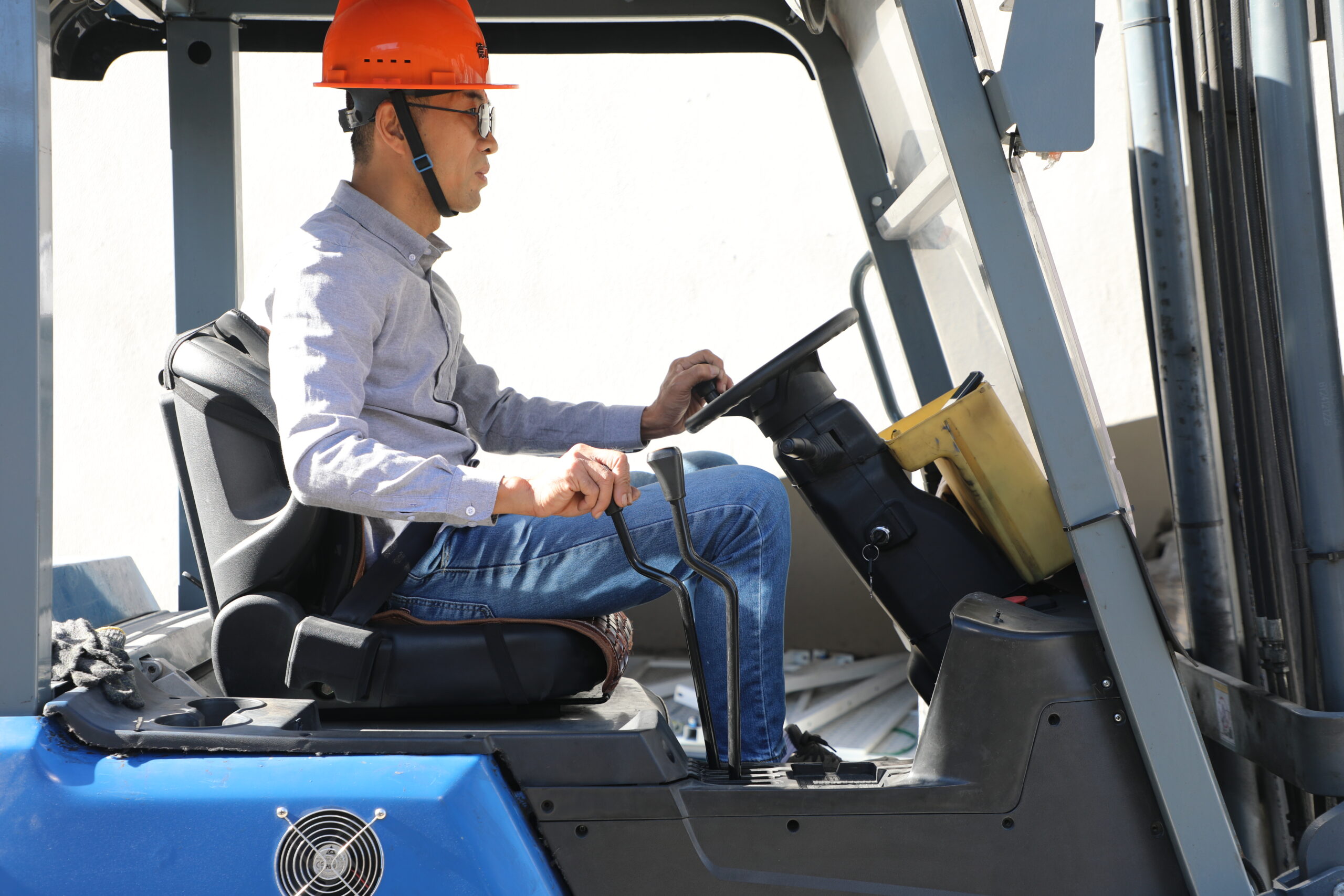
How to change the speed on a liftron forklift
Changing the speed on a Liftron forklift can improve productivity, safety, and energy efficiency. Modern forklifts use programmable AC drive systems that allow operators and technicians to adjust travel speed, acceleration, and performance settings for different applications.
Understanding Forklift Speed Settings
Modern electric forklifts are equipped with intelligent controllers that manage driving performance through software rather than purely mechanical adjustments. This allows businesses to customize forklift behavior according to warehouse conditions, operator experience levels, load weights, and safety requirements.
Forklift speed settings typically include:
- Maximum Travel Speed – Controls the highest driving speed the forklift can reach.
- Acceleration Rate – Determines how quickly the forklift reaches its maximum speed.
- Drive Power Output – Adjusts motor torque and responsiveness.
- Lift and Lowering Speeds – Controls the speed of load handling operations.
- Performance Modes – Preset operating profiles such as Economy, Standard, and High Performance.
Many modern forklifts, including models from Liftron Material Handling, use advanced AC motor technology that provides flexible performance tuning while maintaining excellent energy efficiency.
Step 1: Access the Operator or Administrator Menu
To modify speed settings, begin by powering on the forklift and allowing the display system to complete its startup sequence.
- Turn the ignition key or power switch to the ON position.
- Wait for the dashboard display to fully initialize.
- Press and hold the designated menu buttons, often the up/down arrows, for approximately 3 to 5 seconds.
- Access the settings interface.
- If required, enter the operator PIN, supervisor password, or technician credentials.
Depending on the forklift model and security level, operators may have limited access to performance settings while technicians receive full access to programming functions.
Step 2: Navigate to Performance Settings
Once inside the menu system, locate the performance-related section. Different manufacturers may label this area differently:
- Performance
- Drive Settings
- Tuning
- Vehicle Parameters
- Controller Configuration
Within these menus, you can typically adjust several operating parameters.
Maximum Travel Speed
This setting determines the top speed of the forklift. Lower speed limits are often used in:
- Narrow aisles
- Crowded warehouses
- Pedestrian-heavy areas
- Training environments
Higher speed settings may be suitable for large distribution centers with wide travel paths and experienced operators.
Acceleration Rate
Acceleration controls how quickly the forklift reaches its programmed speed. Reducing acceleration can help:
- Prevent load shifting
- Improve safety
- Reduce tire wear
- Extend battery life
Increasing acceleration may improve productivity in high-volume operations where rapid movement between locations is essential.
Drive Power and Current Limits
Some forklift controllers allow adjustment of motor current limits. Reducing available current lowers torque output, which can:
- Improve battery runtime
- Reduce component wear
- Enhance control in confined spaces
Increasing current limits generally improves responsiveness and climbing performance but may increase energy consumption.
Step 3: Select an Operating Mode
Many modern forklifts provide predefined operating modes. These modes allow users to switch performance characteristics without manually adjusting individual parameters.
Common operating modes include:
- Economy Mode – Maximizes battery efficiency and extends operating hours.
- Standard Mode – Balances productivity and energy consumption.
- Power Mode – Delivers stronger acceleration and higher performance.
- High Performance Mode – Optimized for demanding applications and heavy workloads.
Operators should choose the mode that best matches their working environment and productivity requirements.
When Technician Assistance Is Required
In some cases, speed-related settings may appear locked or unavailable. Manufacturers often protect critical controller parameters to prevent unauthorized changes.
If settings are grayed out or inaccessible, certified service personnel may need to:
- Connect diagnostic software
- Use manufacturer service tools
- Unlock controller access levels
- Update firmware
- Modify protected performance parameters
Professional adjustment ensures that all modifications remain within the manufacturer’s safety specifications.
Safety Considerations Before Changing Forklift Speed
Before increasing forklift speed, companies should carefully evaluate workplace conditions.
Important factors include:
- Warehouse layout
- Aisle width
- Floor condition
- Pedestrian traffic
- Operator experience
- Load characteristics
Higher speed settings may improve productivity, but excessive speed can increase stopping distance and accident risk. Always follow local regulations and manufacturer recommendations.
Benefits of Proper Forklift Speed Optimization
Correctly configured speed settings offer several operational advantages:
- Improved warehouse productivity
- Reduced operator fatigue
- Enhanced workplace safety
- Longer battery life
- Reduced maintenance costs
- Better load stability
Organizations that periodically review forklift performance settings often achieve a better balance between operational efficiency and equipment longevity.
How to Choose the Right Forklift
Selecting the right forklift is just as important as optimizing its speed settings. Consider the following factors when evaluating equipment options.
1. Choose a Forklift Based on the Working Environment
Different applications require different forklift types. Indoor warehouses, outdoor yards, manufacturing plants, cold storage facilities, and logistics centers all have unique operating requirements.
Factors to evaluate include:
- Load capacity
- Lifting height
- Aisle width
- Surface conditions
- Indoor or outdoor operation
- Daily operating hours
2. Compare Brands and Total Ownership Costs
Forklift pricing varies significantly among manufacturers. In addition to the purchase price, buyers should evaluate maintenance costs, battery technology, service support, and warranty coverage.
Some emerging manufacturers and rental providers offer highly competitive solutions. For example, Liftron Material Handling provides modern electric forklift solutions designed for diverse industrial applications. The Liftron DL SERIES features advanced lithium-ion technology and can adapt to a wide range of warehouse, logistics, and manufacturing environments.
3. Rent for Short-Term Use, Buy for Long-Term Operations
Companies with temporary projects or seasonal demand may benefit from forklift rental programs. Renting reduces upfront investment and provides flexibility when operational requirements change.
For organizations with consistent material handling needs, purchasing a forklift is often the more cost-effective long-term solution. Ownership provides greater control over equipment availability and may lower overall operating costs over the lifespan of the machine.
Conclusion
Changing the speed on a Liftron forklift is typically accomplished through the onboard display system or professional service software. By adjusting travel speed, acceleration, power output, and performance modes, operators can optimize equipment performance for specific working conditions. When selecting a forklift, businesses should consider operating environment, brand value, and ownership strategy to maximize efficiency and return on investment. Properly configured forklifts not only improve productivity but also enhance safety, equipment lifespan, and overall warehouse performance.
Add a review
Your email address will not be published. Required fields are marked *