
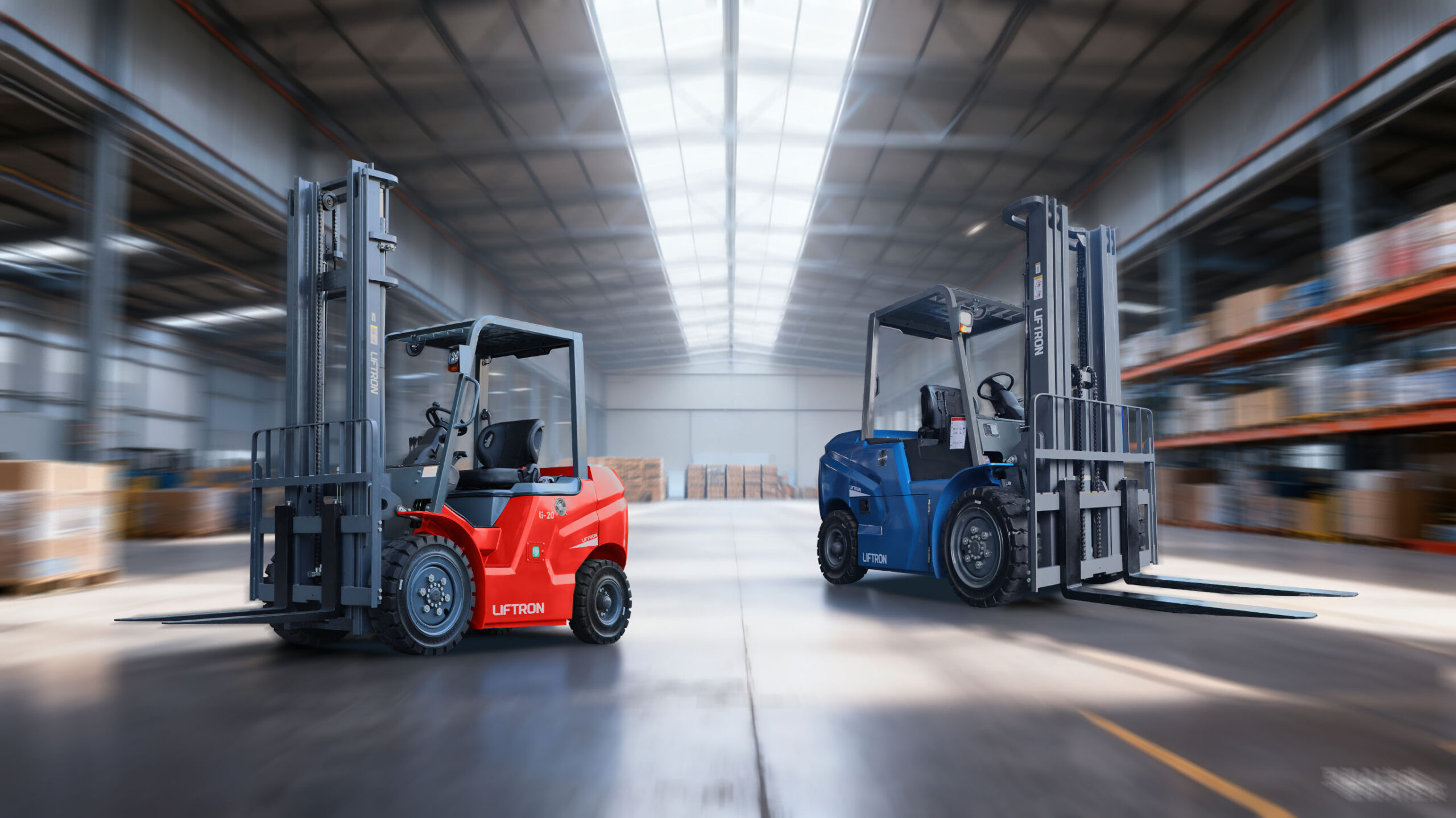
How Do I Find the Year of My Liftron Forklift?
If you own or operate a liftron forklift, knowing the production year can be important for maintenance, resale value, parts replacement, warranty verification, insurance records, fleet management, and service planning. Forklifts are long-term industrial assets, and accurate identification helps owners choose the correct battery, charger, tires, forks, filters, hydraulic components, and replacement parts. The most reliable way to find the year of your Liftron forklift is to locate the metal capacity or data plate and check the model number and serial number.
The data plate is usually installed in a visible area near the operator’s seat, steering column, dashboard, mast area, or chassis. This plate contains important information about the forklift, including model number, serial number, rated lifting capacity, load center, truck weight, battery information, and sometimes the manufacturing date. If the exact year is not printed on the plate, the serial number can usually help the manufacturer or an authorized dealer identify the production year.
Why the Forklift Year Matters
Knowing the year of your forklift is useful for both daily operation and long-term fleet management. A forklift’s age can affect service schedules, battery condition, part availability, resale value, and safety inspections. Older forklifts may need more frequent maintenance, while newer models may include updated electronics, lithium-ion battery systems, improved ergonomics, or better safety features.
For businesses that operate multiple forklifts, tracking the year of each machine helps with fleet replacement planning. It can also help determine whether it is more cost-effective to repair, upgrade, rent, or replace a forklift. If you are buying a used Liftron forklift, confirming the year can help you avoid overpaying and verify that the equipment matches the seller’s description.
Step 1: Check the Data Plate
The first step is to check the forklift data plate. This is also called the capacity plate, nameplate, identification plate, or manufacturer plate. It is usually a small metal plate attached to the forklift body. On many forklifts, it can be found near the operator’s compartment, steering column, dashboard, or chassis. Some models may place it near the mast or frame.
The data plate may include the manufacturing date or year directly. Look for labels such as “MFG Date,” “Date of Manufacture,” “Year,” “Production Date,” or similar wording. If the year appears clearly on the plate, then you have your answer.
However, not every data plate displays the manufacturing year in a simple format. Some plates only show the model number and serial number. In that case, you will need to use the serial number to identify the year.
Step 2: Record the Model Number and Serial Number
If the production year is not clearly printed on the data plate, write down or photograph the model number and serial number. These two pieces of information are essential for identifying the forklift correctly.
The model number tells you the forklift series and equipment type. For example, it may indicate whether the unit belongs to a lithium-ion forklift series, warehouse equipment series, pallet jack category, or stacker category. The serial number is unique to the individual machine and is usually the key to identifying the production date.
When recording the serial number, make sure every letter, number, dash, and symbol is copied correctly. A single wrong character may lead to incorrect identification. It is best to take a clear photo of the data plate and keep it in your maintenance records.
Step 3: Decode the Serial Number
Some forklift manufacturers include year information inside the serial number. The year may be represented by a letter, number, or combination of characters. However, serial number formats are often proprietary, which means they are not always publicly available or easy to decode without manufacturer support.
If your Liftron forklift only has a serial number and no visible manufacturing date, you should avoid guessing. Instead, contact Liftron support or an authorized dealer and provide the model number and serial number. They can use manufacturer records or internal guides to confirm the exact year and production details.
Step 4: Contact Liftron Support
The most accurate way to confirm the year of your forklift is to contact the manufacturer directly. You can reach out through the Liftron Material Handling Contact Page and provide your forklift’s model number, serial number, and photos of the data plate.
When contacting support, include as much information as possible. Mention the forklift model, serial number, current location, battery type, and any service questions you have. If you are trying to buy parts, replace a battery, verify warranty coverage, or confirm resale value, explain that in your message. This helps the support team provide more accurate guidance.
What If the Data Plate Is Missing or Damaged?
Sometimes the data plate may be scratched, painted over, missing, or unreadable. This can happen on older forklifts, used forklifts, or equipment that has worked in harsh environments. If the data plate is damaged, look for the serial number stamped on the chassis or frame. Some forklifts have the serial number marked in another location for identification.
If you cannot find any serial number, contact the dealer or seller who supplied the forklift. They may have invoices, purchase documents, service records, or delivery paperwork that include the model and serial number. Maintenance records, battery records, rental agreements, and inspection reports may also help identify the unit.
What Types of Forklifts Does Liftron Material Handling Offer?
Liftron Material Handling offers forklift and warehouse equipment solutions designed for modern material handling applications. Its product lineup can generally be divided into two main categories: Lithium-ion Forklift Series and Electric Warehousing Series.
Lithium-Ion Forklift Series
The Lithium-ion Forklift Series includes the DE Series, DL Series, and DD Series. These forklifts use lithium-ion battery technology and are designed for efficient, low-maintenance material handling. Compared with traditional lead-acid battery forklifts, lithium-ion forklifts help reduce maintenance concerns such as watering, acid handling, long charging periods, and battery room management.
Lithium-ion forklifts are especially useful for businesses that need long operating hours, clean indoor performance, fast charging, and lower routine maintenance. They are commonly used in warehouses, logistics centers, manufacturing plants, retail distribution facilities, and industrial material handling environments.
DE Series
The DE Series is designed for flexible material handling applications. It is suitable for indoor and outdoor work, pallet transportation, stacking, loading, and general warehouse operations. Businesses that need compact electric forklifts for daily material movement may find the DE Series useful.
DL Series
The DL Series is designed for higher-capacity lithium-ion forklift applications. It can support heavier material handling tasks and is suitable for warehouses, logistics facilities, and manufacturing operations that require strong lifting performance with electric power.
DD Series
The DD Series is designed for high-intensity material handling and harsher working environments. It is useful for heavy-duty logistics yards, industrial manufacturing, large warehouses, and multi-shift operations where reliability and lifting strength are important.
Electric Warehousing Series
The Electric Warehousing Series includes equipment such as pallet jacks and stackers. These machines are electrically driven and designed to improve warehouse efficiency. Many types are ride-on models, which can reduce operator walking and improve productivity during long shifts.
Electric pallet jacks are commonly used for short-distance pallet movement, truck loading, stockroom handling, and warehouse transportation. Stackers are useful for lifting pallets to storage racks, organizing inventory, and working in smaller facilities where a full-size forklift may not be necessary.
Tips for Maintaining Forklift Identification Records
Once you find the year of your Liftron forklift, save the information in your maintenance files. Keep a photo of the data plate, serial number, purchase invoice, service records, battery records, and warranty documents. This will make future repairs, part orders, resale discussions, and fleet audits much easier.
It is also a good idea to label each forklift in your fleet with an internal asset number. This helps your team track inspections, repairs, battery replacements, tire changes, and operating hours more efficiently.
Conclusion
To find the year of your Liftron forklift, start by locating the metal data plate near the operator’s seat, steering column, dashboard, chassis, or mast area. Check whether the manufacturing date or year is printed directly on the plate. If not, record the model number and serial number, then contact Liftron support or an authorized dealer for accurate identification.
Because serial number formats are proprietary, the safest approach is to verify the production year through official manufacturer support. Knowing your forklift’s year helps with maintenance, parts replacement, battery compatibility, warranty verification, resale value, and long-term fleet planning. Whether you operate a lithium-ion forklift, pallet jack, stacker, or warehouse equipment, accurate identification is an important part of responsible forklift ownership.
Add a review
Your email address will not be published. Required fields are marked *