
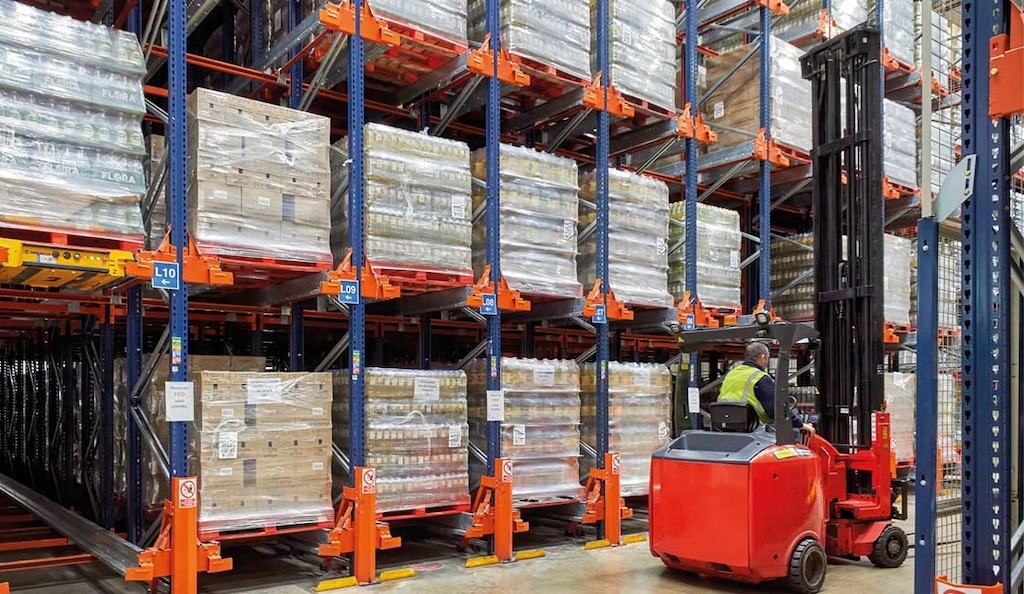
how to check capacity of forklift
Checking a forklift’s load capacity is essential for safe operation, preventing tip-overs, and avoiding costly damage. Every forklift has a rated capacity determined by its design, mast, tires, and attachments, and you must verify it before lifting any load. This guide explains how to check forklift capacity using data plates, load charts, and physical inspection methods.
Why Forklift Capacity Matters
Exceeding a forklift’s rated capacity is a leading cause of workplace accidents, including stability failures and load drops. Overloading also strains the hydraulic system, steering, and brakes, leading to premature wear and potential catastrophic failure. OSHA requires employers to ensure forklift operators never exceed the capacity listed on the data plate, and operators must understand how load center, lift height, and attachments affect that capacity.
Step 1: Locate and Read the Forklift Data Plate
The most direct way to check capacity is the metal data plate, usually attached to the overhead guard or the cowl, near the operator’s compartment. This plate lists the truck’s rated capacity at a specific load center (typically 24 inches for standard forklifts) and maximum lift height. Look for the following fields:
- Model and serial number – confirms identity and helps cross-reference with manufacturer docs.
- Rated capacity – e.g., 5,000 lbs at 24-inch load center.
- Load center – distance from the vertical face of the forks to the load’s center of gravity.
- Maximum lift height – capacity often decreases as lift height increases.
- Attachment ratings – if the forklift has sideshifters, clamps, or rotators, the plate may list reduced capacities.
If the data plate is missing, damaged, or illegible, do not operate the forklift. Contact the manufacturer or a certified dealer to obtain a replacement plate. For example, Liftron Material Handling provides detailed data plates and technical documentation for their entire fleet, ensuring you can verify capacity accurately.
Step 2: Understand Load Center and Its Effect
Forklift capacity is rated at a specific load center, typically 24 inches. If your load’s center of gravity is farther from the fork face, the actual capacity drops. For instance, a 5,000 lb capacity truck with a 24-inch load center can only safely lift about 4,000 lbs if the load center is 30 inches. To calculate the derated capacity, use this formula:
Actual capacity = (rated load center ÷ actual load center) × rated capacity
For non-uniform loads (e.g., long pipes, machinery), measure the distance from the vertical fork face to the center of gravity. Always assume the worst-case center if unsure.
Step 3: Check the Load Chart (Capacity Plate Extension)
Many forklifts, especially newer models, have a second label or a load chart decal near the data plate. This chart shows capacity at various lift heights and mast configurations. For example, a truck may be rated 5,000 lbs up to 18 inches lift height, but only 3,500 lbs at 10 feet. The chart is organized as rows for lift height and columns for load center. To use it:
- Determine your lift height (from floor to bottom of forks).
- Determine your load center.
- Intersect the two values to see the maximum allowable weight.
If you don’t have a load chart, you can request one from the manufacturer. Many brands, including Liftron DL SERIES, include both the data plate and a load chart in every operator’s manual. The DL SERIES lithium-ion forklifts also feature digital displays that show real-time load weight and center-of-gravity data, reducing guesswork.
Step 4: Account for Forklift Attachments
Attachments like sideshifters, fork positioners, clamps, or rotators add weight and shift the load center outward. Every attachment reduces the truck’s effective capacity. The data plate may list a dedicated attachment capacity, or you must calculate the derating factor provided by the attachment manufacturer. For example, a sideshifter might reduce capacity by 5-10%, while a paper roll clamp could reduce it by 20-30%. Always subtract the attachment’s weight from the rated capacity and apply the new load center.
Step 5: Verify Tire Pressure and Fork Condition
Capacity ratings assume properly inflated tires (for pneumatic trucks) and undamaged forks. Low tire pressure decreases stability and can lower effective capacity. Check fork dimensions, including length, thickness, and any bends or cracks. Fork wear limits are usually stamped on the fork heel. If forks are worn beyond 10% of their original thickness, they must be replaced, and the capacity rating is void until then.
Step 6: Use a Forklift Scale or Indicator
For maximum safety, use an onboard weighing system. Many modern forklifts, including the Liftron DL SERIES, integrate load sensors that display the lifted weight on a dashboard screen. If your truck lacks this, portable fork scales or chain scales can be attached to the forks. These tools let you verify that the load is within the calculated safe limit before moving.
Step 7: Perform a Physical Stability Test (If Required)
For unusual loads or after modifications, a stability test may be necessary. This involves tilting the mast backward, lifting the load a few inches, and checking if the rear wheels remain in contact with the ground. If the rear wheels lift off the floor, the load is too heavy or too far forward. This is not a substitute for the data plate, but it provides a quick field check.
Common Mistakes When Checking Capacity
- Relying only on the visible “5,000 lbs” number without considering load center or lift height.
- Ignoring the effect of attachments, assuming the truck is still rated at base capacity.
- Using a pallet that extends beyond the forks, which shifts the center of gravity.
- Operating with a damaged mast or worn out hydraulic seals, which reduces lifting ability.
When to Consult a Professional
If you are unsure about capacity after checking the data plate and charts, or if the truck has been modified (e.g., longer forks, added counterweight, different mast), stop operation and contact the manufacturer or an authorized dealer. For instance, Liftron Material Handling offers technical support and can recalculate capacity for modified trucks or provide replacement plates. They also offer load testing services for fleets to ensure compliance with OSHA standards.
Regular Monitoring and Documentation
Create a capacity checklist that operators must review daily. Include checking the data plate for legibility, verifying attachment ratings, and logging any changes. Provide refresher training every year, especially for seasonal workers. Remember that a forklift’s capacity is not a fixed number – it changes with every load, lift height, and attachment. Always treat the data plate as the starting point, not the final answer.
Final Practical Tips
Keep a laminated copy of the load chart in the operator’s station. Mark the floor with maximum lift height zones if your warehouse has mezzanines. For battery-powered trucks like the DL SERIES, remember that battery weight affects the counterbalance – always use the factory-specified battery model. When in doubt, lift a load slowly and watch for any rear wheel lift or instability. If you feel any tipping motion, lower the load immediately and reassess.
Checking forklift capacity is not a one-time event – it is a continuous safety practice. By following the steps above, you protect your operators, your equipment, and your inventory. If you need further guidance, consult your forklift manual or reach out to a reputable dealer such as Liftron Material Handling, which supplies comprehensive information for all its models, including the Liftron DL SERIES with advanced load monitoring technology.




Add a review
Your email address will not be published. Required fields are marked *